Showing posts with label Operating Systems. Show all posts

Wednesday, 16 September 2015

Improved Features Of New Kali Linux 2.0 And How To Upgrade To It

kali-linux-2.0-features-upgrade-update- picateshacks.com


Kali 2.0 (Kali Sana) was released last week which means that we get to spend some time sifting through Offensive Security‘s latest release looking at all the new tools and tricks. Offensive Security promised us a better, more powerful penetration testing platform, and my preliminary look at 2.0 shows that they delivered.

Here is my previous article about kali linux 1.0: 
An Introduction To Hacker’s OS: Kali Linux Setup Tutorial

Kali Linux 2.0 (Kali Sana) is the best Penetration testing distribution,well organized and with core tools and packages needed by Pentester to get started right after installation. Kali Linux 2.0 will be a rolling distribution and updates will be pulled continuously from debian testing. Kali 2.0 is based on debian 8 and available in lots of flavors. Kali Linux 2.0 ( Kali Sana) natively supports different desktop environments like xfce,gnome3,kde, mate,lxde,e.t.c

The Look Of Kali Linux 2.0


kali-linux-2.0-features-upgrade-update- picateshacks.com

Kali 2.0 switched over to the GNOME3 interface which brings a much needed update to the user experence. This new UI gives you a customizable favorites bar, which will certainly come in handy, having your common tools at the ready at all times. The new Applications menu in the top bar comes with new, easier-to-understand groupings. This is wonderful if you’d like to have a quick glance at all of your available applications.

Better still, Kali 2.0 also natively supports KDE, Xfce, MATE, e17, lxde and i3wm so if you’re not a fan of the default, you can switch fairly easily to one that you’re more fond of.

The Tools


Kali 2.0 includes a variety of previously-unavailable-by-default toolset including Maltego, Responder from SpiderLabs, and a sleu of wireless penetration testing tools. All of these and more are accessible through the the multi-level navigation mentioned previously.

The Updates


One of my personal concerns with the previous version of Kali was that updates weren’t frequent enough and tools weren’t updated as often as they should. Kali 2.0 is now a rolling distribution, meaning more updates to both the operating system and the natively supported tools.

Improved Features of Kali Linux 2.0


This version of kali Linux is highly expected among the world. Because the teaser which was released by OPSC about this project became viral in internet. It was a 3.13 mins teaser which describes the new features added to the 2.0 version of this Kali Linux. Let’s see the new features added to this version of Kali Linux briefly.

1. Multi-Tasking :


kali-linux-2.0-features-upgrade-update- picateshacks.com
Multi Tasking Feature Seen at Right Side Of Desktop

It is the best feature of Kali Linux v.2.0 that I wish to mention here. It has multi taking feature such as android. The bitter truth is, the multi tasking feature in Kali Linux v.2.0 is better than they of multi tasking in android. It enables the user to run 10+ programs at instant. The experience of this feature depends upon the hardware of the system. All though it has multi tasking feature, making it perfect needs a good compeer or laptop with better specifications. Or else, it may not respond and led to force close of application. Whenever the usage of any feature exceeds, it leads to force close. This is common in all the operating system.

2. Redesigned User Interface :


kali-linux-2.0-features-upgrade-update- picateshacks.com

However the operating system is powerful, the interface and display gives the a user, a sense of exploit. Kali Linux always gives us that feel. This version has a redesigned user interface. This gives us a streamlined working experience. The user interface of this version is really awesome and provides you, a smooth exploiting experience.

3. Restructured Menu and Tool Categories:


kali-linux-2.0-features-upgrade-update- picateshacks.com

This adds beauty to this new version of llinux. Not only beauty, but also an feel of pentrstion testing.

4. Weekly Upstream Updates of Core Toolsets:


kali-linux-2.0-features-upgrade-update- picateshacks.com

 Users can either update it manually or automatically.

5. Native Ruby 2.0 Faster Metasploit Load Times :


kali-linux-2.0-features-upgrade-update- picateshacks.com

Metasploit is one of the best tool used in Kali Linux. Considering the usage of this Metasploit, Makers of this Linux had given some more importance for it’s performence. They had fixed minor bugs and made this Metasploit, a better tool for penetration testing.

6. Built in Desktop Notifications :


This is also one of the best feature found in this version. Users don’t have to install any secondary software or frameworks to get Desktop notifications as out comes inbuilt with the operating system. As same as in android, this version has a notification which can either enabled or disabled by the user. It means that it is customizable. It joins with the Multi taking feature and gives on time notifications so that user won’t miss any important things. User will get notifications whenever a process is started, completed, updated or changed.

7. Built in screen casting :


The users of this penetrating system do not have to depend on secondary software for on screen recording as Screen casting has become a inbuilt feature. This is a nice move by the Team Kali Linux. Most of the features were same as that of in android. It is better to note that android is Linux based. Especially this screen casting, notification and multi tasking features proves that, the features were based on the features of android operating system.

8. Cutting Edge Wireless Penetration Testing Tools :


kali-linux-2.0-features-upgrade-update- picateshacks.com

New Wireless Penetration Testing Tools were also included in this new version of Kali Linux. These tools run in terminal emulator. The main aspect of this tools are wireless penetration testing. Note that Wireless is different from remote. These tools are used for Wifi Cracking, Spoofing, Sniffing, and for other MITM attacks. This has made wireless Penetration testing, easier a lot that before.

How to upgrade to Kali Linux 2.0 (Kali Sana)


Some of you guys are still using Kali Linux 1.x and you wanna upgrade to Kali Linux 2.0 without full clean installation. Well, this can be done though the recommended way of getting Kali Linux 2.0 running smoothly is by performing full clean installation.

To upgrade to Kali Linux 2.0, you'll have to add Kali Sana repositories to your sources.list file, please don't append the kali sana repos, just overwrite existing repositories.

To do this just paste the following lines on your terminal:

cat << EOF > /etc/apt/sources.list
# Regular Repositories
deb http://http.kali.org/kali sana main non-free contrib
deb http://security.kali.org/kali-security sana/updates main contrib non-free
# Source repositories
deb-src http://http.kali.org/kali sana main non-free contrib
deb-src http://security.kali.org/kali-security sana/updates main contrib non-free
EOF

After adding repos, the next thing to do is system update and dist-upgrade, to do this type the following in terminal:
sudo apt-get cleansudo apt-get update
sudo apt-get dist-upgradesudo reboot

If you want to do a fresh installation, head to download page:
Download Kali Linux ISO image

Then get the version of Kali Linux 2.0 that you need. Create a bootable flash drive by using dd command, example is shown below:
dd if=/home/jose/Downloads/kali-linux-1.1.0-amd64.iso of=/dev/sdb bs=512k

Replace if='' With the location of your Kali Linux ISO image. The of option is the output file and specify the destination to write to, e.g /dev/sdb in our case above.

You can use the following command to know your flash drive mount location
sudo fdisk -l

You'll get output similar to one below:

kali-linux-2.0-features-upgrade-update- picateshacks.com

If you are a windows guy, the download win32diskimager, install it and create bootable flash disk. You can also make bootable DVD and boot kali off of it.

Final words


Basically, Offensive Security did a bang-up job upgrading the look and feel of Kali to something more modern and usable. I moved away from Kali 1.0 over the course of its life-cycle due to update and compatibility issues. Of course, as a pentester, logging in and opening a terminal minimizes the importance of the shiny UI (but it is a pretty nice upgrade). Thankfully, regular updates for both the tools and the operating systems are going to be pushed, and for the time being, I will be using Kali 2.0 as my main pentesting platform.

Monday, 18 May 2015

Top 15 Advanced Operating Systems For Hackers

Top 15 Advanced Operating Systems- picateshackz.com

Today we are discussing about top 15 advanced operating systems which has great penetration testing or ethical hacking tools. the top Os on this list is my favorite Linux distro Kali Linux because it is very popular in pentesting and it is developed by the same team of BackTrack (Offensive security). i am not including BackTrack on this list because it is no more available officially on their website and the next version of BackTrack is Kali Linux. the listed operating systems are here based on Linux kernel so it is all free operating systems. (Included download links for all Os) :)

I am recommending you to read my earlier post to understand more about Linux distros related to hacking security: 
Linux Powerful Distros For Hacking Or Security: Kali, Tails And Qubes


1. Kali Linux


Kali Linux is a Debian-derived Linux distribution designed for digital forensics and penetration testing. It is maintained and funded by Offensive Security Ltd. Mati Aharoni and Devon Kearns of Offensive Security developed it by rewriting BackTrack. Kali Linux is the most versatile and advanced penetration testing distro. Kali updates its tools and it is available for many different platforms like VMware and ARM. if you want to know more about Kali Linux then i recommend you read my previous article: An Introduction To Hacker’s OS Kali Linux And Setup Tutorial.

Click here to download


2. BackBox 


It includes some of the most used security and analysis Linux tools, aiming to a wide spread of goals, ranging from web application analysis to network analysis, from stress tests to sniffing, including also vulnerability assessment, computer forensic analysis and exploitation.

The power of this distribution is given by its Launchpad repository core constantly updated to the last stable version of the most known and used ethical hacking tools. The integration and development of new tools inside the distribution follows the commencement of open source community and particularly the Debian Free Software Guidelines criteria.

Click here to download


3. Parrot-sec forensic os


Parrot Security is an operating system based on Debian GNU/Linux mixed with Frozenbox OS and Kali linux in order to provide the best penetration and security testing experience. it is an operating system for IT security and penetration testing developed by the Frozenbox Dev Team. It is a GNU/Linux distribution based on Debian and mixed with Kali. 

Parrot uses Kali repositories in order to take latest updats for almost all the tools, but it also has its own dedicated repository where all the custom packets are kept. This is why this distro is not just a simple Kali “mod” but entire new concept which relies on Kali’s tool repositories. As such, it introduces a lot of new features and different developing choices.Parrot uses MATE as a Desktop Environment. Lightweight and powerful interface is derived from famous Gnome 2, and thanks to FrozenBox highly customizable with captivating icons, ad-hoc themes and wallpapers. System look is proposed and designed by the community members and also members of Frozenbox Network, who are closely following the development of this project.

Click here to download


4. DEFT


Deft is Ubuntu customization with a collection of computer forensic programs and documents created by thousands of individuals, teams and companies. Each of these works might come under a different licence. There Licence Policy describe the process that we follow in determining which software we will ship and by default on the deft install CD.

Click here to download


5. Live Hacking OS


As i am said before Live Hacking OS is also based on linux which has big package of hacking tools useful for ethical hacking or penetration testing. It includes the graphical user interface GNOME inbuilt. There is a second variation available which has command line only, and it requires very less hardware requirements.


6. Samurai Web Security Framework


The Samurai Web Testing Framework is a live linux environment that has been pre-configured to function as a web pen-testing environment. The CD contains the best of the open source and free tools that focus on testing and attacking websites. In developing this environment, we have based our tool selection on the tools we use in our security practice. We have included the tools used in all four steps of a web pen-test.

Click here to download


7. Network Security Toolkit (NST)


Network Security Toolkit (NST) is a bootable live CD based on Fedora Core. The toolkit was designed to provide easy access to best-of-breed open source network security applications and should run on most x86 platforms. The main intent of developing this toolkit was to provide the network security administrator with a comprehensive set of open source network security tools. 

What we find rather fascinating with NST is that we can transform most x86 systems (Pentium II and above) into a system designed for network traffic analysis, intrusion detection, network packet generation, wireless network monitoring, a virtual system service server, or a sophisticated network/host scanner.

Click here to download


8. Bugtraq


Bugtraq is an electronic mailing list dedicated to issues about computer security. On-topic issues are new discussions about vulnerabilities, vendor security-related announcements, methods of exploitation, and how to fix them. It is a high-volume mailing list, and almost all new vulnerabilities are discussed there.
Bugtraq team is experienced freaks and developers, It is available in Debian, Ubuntu and OpenSuSe in 32 and 64 bit architectures.

Click here to download


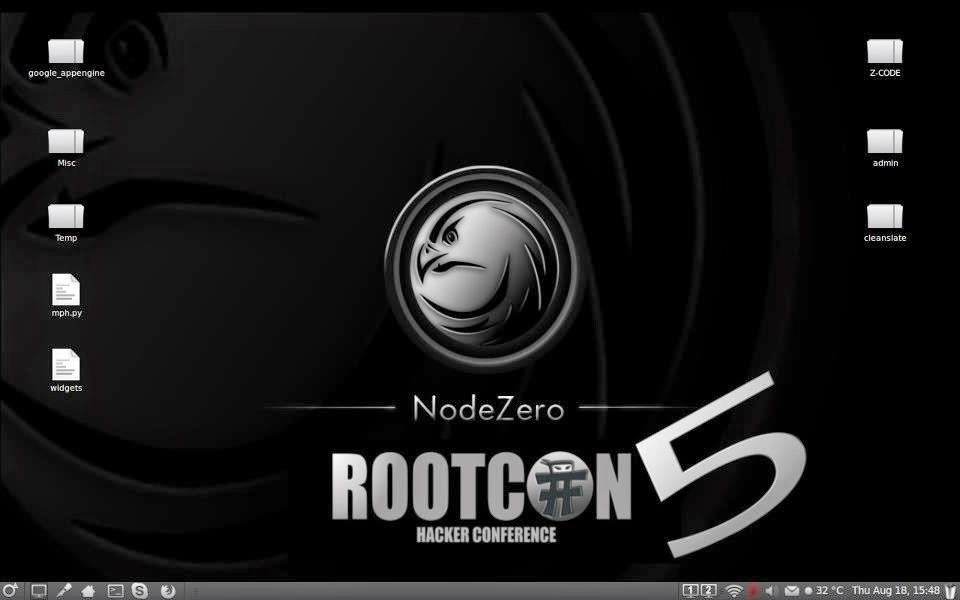
9. NodeZero


It is said the necessity is the mother of all invention, and NodeZero Linux is no different. There team is built of testers and developers, who have come to the census that live systems do not offer what they need in their security audits. Penetration Testing distributions tend to have historically utilized the “Live” system concept of linux, which really means that they try not to make any permanent effects to a system. Ergo all changes are gone after reboot, and run from media such as discs and USB’s drives. However all that this maybe very handy for occasional testing, its usefulness can be depleted when your testing regularly. Its there believe that “Live System’s” just don’t scale well in a robust testing environment.

All though NodeZero Linux can be used as a “Live System” for occasional testing, its real strength comes from the understanding that a tester requires a strong and efficient system. This is achieved in our belief by working at a distribution that is a permanent installation, that benefits from a strong selection of tools, integrated with a stable linux environment.

Click here to download


10. Pentoo


Pentoo is a Live CD and Live USB designed for penetration testing and security assessment. Based on Gentoo Linux, Pentoo is provided both as 32 and 64 bit installable live cd. Pentoo is also available as an overlay for an existing Gentoo installation. It features packet injection patched wifi drivers, GPGPU cracking software, and lots of tools for penetration testing and security assessment. The Pentoo kernel includes grsecurity and PAX hardening and extra patches - with binaries compiled from a hardened toolchain with the latest nightly versions of some tools available.

Click here to download


11. GnackTrack


GnackTrack is an open and free project to merge penetration testing tools and the linux Gnome desktop. GnackTrack is a Live (and installable) Linux distribution designed for Penetration Testing and is based on Ubuntu.

Backtrack is not only a single player in the field of ethical hacking, so you can try some other distribution as well, if you are Gnome lover than must try this, however backtrack 5 is also available on Gnome platform. Just like backtrack, Gnacktrack comes with multiple tools that are really helpful to do a effective penetration testing, it has Metasploit, armitage, wa3f and others wonderful tools.


Click here to download


12. Blackbuntu


Blackbuntu is distribution for penetration testing which was specially designed for security training students and practitioners of information security. Blackbuntu is penetration testing distribution with GNOME Desktop Environment. It's currently being built using the Ubuntu 10.10 and work on reference Back|Track.

Click here to download


13. Knoppix STD


Knoppix STD (Security Tools Distribution) is a Live CD Linux distribution based on Knoppix that focused on computer security tools. It included GPL licensed tools in the following categories: authentication, password cracking, encryption, forensics, firewalls, honeypots, intrusion detection system, network utilities, penetration, packet sniffers, assemblers, vulnerability assessment and wireless networking. Knoppix STD version 0.1 was published January 24, 2004, on Knoppix 3.2. Thereafter, the project stagnated, lacking updated drivers and packages. A release date for version 0.2 has not yet been announced. A list of tools is available on the official website.


Click here to download


14. Weakerth4n


Weakerth4n is a penetration testing distribution which is built from Debian Squeeze.For the desktop environment it uses Fluxbox.This operating system is ideal for WiFi hacking as it contains plenty of Wireless tools. It has a very well maintained website and a devoted community. Built from Debian Squeeze (Fluxbox within a desktop environment) this operating system is particularly suited for WiFi hacking as it contains plenty of Wireless cracking and hacking tools.

Tools includes: Wifi attacks, SQL Hacking, Cisco Exploitation, Password Cracking, Web Hacking, Bluetooth, VoIP Hacking, Social Engineering, Information Gathering, Fuzzing Android Hacking, Networking and creating Shells.


15. Cyborg Hawk


The most advanced, powerful and yet beautiful penetration testing distribution ever created. Lined up with ultimate collection of tools for pro Ethical Hackers and Cyber Security Experts. It has 700 + tools while Kali have 300+ and also dedicated tools for and menu for mobile security and malware analysis . Also it is easy to compare it with Kali as to make a better OS than Kali we have to outperform it. It is a new operating system based on Ubuntu linux, i am not tested this OS that is why i placed it in the last of this list.

Cyborg Hawk is developed by Team Cybord led by Vaibhav Singh and Shahnawaz Alam from Ztrela Knowledge Solutions Pvt. Ltd.


Recommended article: Top Ten Popular Hacking Tools 

Monday, 20 April 2015

Linux Powerful Distros For Hacking Or Security: Kali, Tails And Qubes

Linux Powerful Distros : Kali, Tails And Qubes - picateshackz.com

It is a brief details of my comparison research about powerful hacking or security-focused Linux distros like Tails, Kali, and Qubes. They're really useful for browsing anonymously, ethical hacking or penetration testing, and tightening down your system so it's secure from would-be hackers. 


What Is A Linux Distro (Distribution)?


A ‘distro’ refers to a distribution of the Linux Operating System, where a person, group or company builds upon Linux and releases it under their name. Examples of popular Linux distros include Ubuntu, Fedora, OpenSUSE, among others. While all of them use the Linux kernel, they are all different with what software they include. From the the default software to even the user interface and experience, no two distros are alike.


Each distro brings something different to the table, offering up specific features for specific user sets. However, for a beginner, it is best to start simple, with a distro that offers a simple user experience for people that are new to Linux. The most recommended Linux distro for beginners would be Ubuntu Linux, as it is relatively easy to set up and use and has a lot of support.
In the Linux world, there are hundreds of different flavors of distro. Examples include Debian, Ubuntu and Red Hat (among many others). When referencing a Linux OS, administrators usually ask questions like: Which distro does the application sit on top of? or Which distro are you using?
Technically, a distribution is any deployment of software and isn't specifically Linux. Usually in this case you'll hear it referred to as a "distribution of software." Despite this, the term "distro" is nearly always used in a Linux context. So, while a distribution of software is a generic term for any bundle of software, distro is nearly always a flavor of Linux.


Why Linux Is Free?

Most people know Linux as the free operating system, free here meaning free of charge. That’s right, free of charge, but it also refers to free speech. What this means is that the source code for Linux is available for everyone to view, study and modify, along with sharing their changes with anyone who would like a copy.

Compare this to Windows and OS X which, while still popular, are closed source, cannot be studied and cannot be distributed freely. This open nature is one of the main reasons that Linux derived operating systems have been successful, with many people and companies creating their own derivative versions of Linux.

Strengths and Weaknesses of all three distros (Kali, Tails And Qubes)

It seems like every other day we hear about another hack, browser exploit, or nasty bit of malware. If you do a lot of your browsing on public Wi-Fi networks, you're a lot more susceptible to these types of hacks. A security-focused distribution of Linux can help. For most of us, the use cases here are pretty simple.
If you need to use a public Wi-Fi network at a coffee shop or the library, then one of these distributions can hide your traffic from someone trying to peek in. Likewise, if you're worried about someone tracking down your location—whether it's a creepy stalker or something even worse—randomizing and anonyming your traffic keeps you safe. Obviously you don't need this all the time, but if you're checking bank statements, uploading documents onto a work server, or even just doing some shopping, it's better to be safe than sorry.

All of these distributions can run in a virtual machine or from a Live CD/USB. That means you can carry them around in your pocket and boot into them when you need to without causing yourself too much trouble.

Tails - Security Through Anonymity


Tails protects you in a number of ways. First, since all your traffic is routed through Tor, it's incredibly difficult to track your physical location or see which sites you visit. Tails doesn't use a computer's hard disk, so nothing you do is saved to the computer you're running it on. Instead, everything you're working on is stored in RAM and erased when you shut down. This means any sensitive documents you're working on are never stored permanently. Because of that, Tails is a really good operating system to use when you're on a public computer or network.

Tails is also packed with a bunch of basic cryptographic tools. If you're running Tails off a USB drive, it's encrypted with LUKS. All your internet traffic is encrypted with HTTPS Everywhere, your IM conversations are encrypted with OTR, and your emails and documents are encrypted with OpenPGP.

The crux of Tails is anonymity. While it has cryptographic tools in place, its main purpose is to anonymize everything you're during online. This is great for most people, but it doesn't give you the freedom to do stupid things. If you log into your Facebook account under your real name, it's still going to be obvious who you are and remaining anonymous on an online community is alot harder than it seems.

From the moment you boot up, your computer leaves footprints. Websites leave tracking cookies, following you from page to page and session to session, alongside the usual traces left by your IP address. Persistent logins from Google and Facebook tie each site visit to your offline identity. If anyone really wants to go after you, they can also make a direct attack, targeting malware to track your movements in the background. With the right tools, a computer is an open book.

Not this computer, though. It's running Tails, an open-source operating system designed to leave as little trace as possible, after more than five years of open development. It's an amnesiac system, which means it's completely fresh every time you boot up. There are no save files, no new programs, and most importantly, it becomes a blank slate the moment you shut down. It's the digital equivalent of buying a new computer for a single session and tossing it into the river once you're done.

That trick has earned Tails a lot of attention. It’s already standard software at Glenn Greenwald’s First Look Media, where he’s called it “vital to my ability to work securely on the NSA story.” Tor researcher Jacob Appelbaum praised the project onstage at this year's Chaos Communications Congress, and in March Tails received a $50,000 grant to keep the project going. Nearly 8,500 computers booted up with Tails on a given day in March, 500 more than the month before. Those are surprisingly high numbers for a project that’s this hard to use, and does this little. But if you need a secure line, Tails is the best way to get it. In the era of the NSA, that’s a rare thing.


pros: Routes all your traffic through Tor, comes with a ton of open-source software, has a"Windows Camouflage" mode to make it look more like Windows 8.

Cons: Can't save files locally, slow, loading web sites through Tor takes forever.

Who It's Best For: Tails is best suited for on-the-go security. If you find yourself at coffee shops or public libraries using the internet a lot, then Tails is perfect for you. Anonymity is the game, so if you're sick of everyone tracking what you're doing, Tails is great, but keep in mind that it's also pretty useless unless you use pseudonyms everywhere online.


Kali - Offensive Security


Where Tails is about anonymity, Kali is mostly geared toward security testing. Kali is built on Debian and maintained by Offensive Security Ltd. You can run Kali off a Live CD, USB drive, or in a virtual machine.


Kali's main focus is on pen testing, which means it's great for poking around for security holds in your own network, but isn't built for general use. That said, it does have a few basic packages, including Iceweasel for browsing the web and everything you need to run a secure server with SSH, FTP, and more. Likewise, Kali is packed with tools to hide your location and set up VPNs, so it's perfectly capable of keeping you anonymous.
Kali has around 300 tools for testing the security of a network, so it's hard to really keep track of what's included, but the most popular thing to do with Kali is crack a Wi-Fi password. Kali's motto adheres to "a best defense is a good offense" so it's meant to help you test the security of your network as a whole, rather than just making you secure on one machine. Still, if you use Kali Linux, it won't leave anything behind on the system you're running it on, so it's pretty secure itself.

As stated before Kali is based on Debian. However, unlike Debian it is focused on forensics. For this reason Kali preinstalls packages relevant for forensics. Kali also actively seeks bugs in forensics-related packages. Thus Kali saves you from finding and installing forensic packages. It also keeps you informed about bugs in these packages. Furthermore it provides a community platform for those interested in forensics.

Added later on: All right, Kali focuses on penetration testing as well. The main point is still that Kali preinstalls useful things for a specific domain, and it provides a community platform. General purpuse distributions like Debian do not have a similar focus.

Kali is Backtrack 6 in all but name, and Kali has a totally revamped software loadout (including base distribution; Debian instead of Ubuntu). In my experience, Kali is more stable, but your mileage may vary. The core functions remain the same but some packages may have been swapped out for alternatives, depending on what you want to do. Also you can update Kali packages without the whole thing falling to shit :)


Besides a Live CD, Kali can also run on a ton of ARM devices, including the Raspberry Pi,BeagleBone, several Chromebooks, and even the Galaxy Note 10.1 - How to Install Kali Linux on Android

Pros: Everything you need to test a network is included in the distribution, it's relatively easy to use, and can be run on both a Live CD and in a virtual machine.

Cons: Doesn't include too many tools for everyday use, doesn't include the cryptographic tools that Tails does.

Who It's Best For: Kali is best suited for IT administrators and hobbyists looking to test their network for security holes. While it's secure itself, it doesn't have the basic daily use stuff most of us need from an operating system.

Qubes - Security Through Isolation


Qubes is desktop environment based on Fedora that's all about security through isolation. Qubes assumes that there can't be a truly secure operating system, so instead it runs everything inside of virtual machines. This ensures that if you are victim to a malicious attack, it doesn't spread to the operating system as a whole.

With Qubes, you create virtual machines for each of your environments. For example, you could create a "Work" virtual machine that includes Firefox and Thunderbird, a "Shopping" virtual machine that includes just Firefox, and then whatever else you need. This way, when you're messing around in the "Shopping" virtual machine, it's isolated from your "Work" virtual machine in case something goes wrong. You can create virtual machines of Windows and Linux. You can also create disposable virtual machines for one time actions. Whatever happens within these virtual machines is isolated, but its not secured. If you run a buggy web browser, Qubes doesn't do much to stop the exploit.

The architecture itself is set up to protect you as well. Your network connection automatically gets its own virtual machine and you can set up a proxy server for more security. Likewise, storage gets its own virtual machine as well, and everything on your hard drive is automatically encrypted.

The major downfall with Qubes is the fact that you need to do everything manually. Setting up virtual machines secures your system as a whole, but you have to be proactive in actually using them. If you want your data to remain secure, you have to separate it from everything else.

Our overall impression of Qubes is positive. Its design is well thought out. Everything worked after installation without issues (network, video, sound, USB, DVD-ROM, etc.) and without the need to manually edit files. The performance, although certainly not blazing fast, was better than expected when considering what Qubes is doing in the background. The software is still in beta and so we did run into a couple of bugs however they were mostly pop-up messages that did not prevent us from doing what we were trying to do. We did not experience any problems creating, deleting, and updating the software in AppVMs. We were expecting to experience at least a few technical issues after installing Kali Linux in a new HVM, however it booted up fine with no errors and Qubes didn't erroneously get in the way as we started using nmap to scan external systems. We are reassured by the discussions of the developers in the Qubes mailing list which show that they understand information security and are implementing measures to protect against various types of attack scenarios that others don't even consider. All that to say we are quite pleased with this OS and are planning on keeping it installed. This is one to keep watching for its eventual non-beta release.


Pros: The isolation technique ensures that if you do download malware, your entire system isn't infected. Qubes works on a wide variety of hardware, and it's easy to securely share clipboard data between VMs.

Cons: Qubes requires that you take action to create the VMs, so none of the security measures are foolproof. It's still totally susceptible to malware or other attacks too, but there's less of a chance that it'll infect your whole system.

Who It's Best For: Qubes is best for proactive types who don't mind doing a bit of work to set up a secure environment. If you're working on something you don't want in other people's hands, writing out a bunch of personal information, or you're just handing over your computer to a friend who love clicking on malicious-looking sites, then a virtual machine's an easy way to keep things secure. Where something like Tails does everything for you out of the box, Qubes takes a bit of time to set up and get working. Qubes user manual is pretty giant so you have to be willing to spend some time learning it.


The Rest: Ubuntu Privacy Remix, JonDo, and IprediaOS


Tails, Kali, and Qubes certainly aren't the only security-focused operating systems around. Let's take a quick look at a few other popular options.

  • Ubuntu Privacy Remix: As the name suggests, Ubuntu Privacy Remix is a privacy focused distribution built on Ubuntu. It's offline-only, so it's basically impossible for anyone to hack into it. The operating system is read-only so it can't be changed and you can only store data on encrypted removable media. It has a few other tricks up its sleeve, including a system to block third parties from activating your network connection and TrueCrypt encryption.
  • JonDO: JonDo is a Live DVD based on Debian that contains proxy clients, a preconfigured browser for anonymous surfing, and a number of basic level security tools. It's similar to Tails, but is a bit more simplified and unfamiliar.
  • IprediaOS: Like Tails, IprediaOS is all about anonymity. Instead of routing traffic through Tor, IprediaOS routes through I2P.

Of course, none of these operating systems are particularly ideal for day-to-day use. When you're anonymizing your traffic, hiding it away, or isolating it from the rest of your operating system you tend to take away from system resources to slow things down. Likewise, the bandwidth costs means most of your web browsing is pretty terrible. All that said, these browsers are great when you're on public Wi-Fi, using a public computer, or when you just need to use a friend's computer that you don't want to leave your private data on.
They're all secure enough to protect most of us with our general behavior, so pick whichever one is best suited for your particular needs.


Recommended Articles To Become A Hacker: