Showing posts with label linux. Show all posts

Sunday, 7 June 2015

Nmap Tutorial: How To Hack ADSL Router Using NMAP Tool

Hack ADSL Router Using NMAP- picateshackz.com

Asynchronous digital subscriber line (DSL or ADSL) modem is a device used to connect a computer or router to a telephone line which provides the digital subscriber line service for connectivity to the Internet, which is often called DSL or ADSL broadband. In this guide I will show you show you how to scan IP range for connected ADSL or DSL modem routers and find DSL ADSL router hack remotely. This guide applies to Windows, Linux or Mac, so it doesn’t matter what’s your Operating system is, you can try the same steps from all these operating systems. The term DSL or ADSL modem is technically used to describe a modem which connects to a single computer, through a USB port or is installed in a computer PCI slot. The more common DSL or ADSL router which combines the function of a DSL or ADSL modem and a home router, is a standalone device which can be connected to multiple computers through multiple Ethernet ports or an integral wireless access point. Also called a residential gateway, a DSL or ADSL router usually manages the connection and sharing of the DSL or ADSL service in a home or small office network.
Put this together with Wireshark hacking for http websites, you got a nightmare for the user behind that router as all their passwords and details can be tracked very easily.

What’s in a DSL ADSL Router?

A DSL or ADSL router consists of a box which has an RJ11 jack to connect to a standard subscriber telephone line. It has several RJ45 jacks for Ethernet cables to connect it to computers or printers, creating a local network. It usually also has a USB jack which can be used to connect to computers via a USB cable, to allow connection to computers without an Ethernet port. A wireless DSL or ADSL router also has antennas to allow it to act as a wireless access point, so computers can connect to it forming a wireless network. Power is usually supplied by a cord from a wall wart transformer. It usually has a series of LED status lights which show the status of parts of the DSL or ADSL communications link:
  1. Power light – indicates that the modem is turned on and has power.
  2. Ethernet lights – There is usually a light over each Ethernet jack. A steady (or sometimes flashing) light indicates that the Ethernet link to that computer or device is functioning
  3. DSL or ADSL light – a steady light indicates that the modem has established contact with the equipment in the local telephone exchange (DSL or ADSLAM) so the DSL or ADSL link over the telephone line is functioning
  4. Internet light – a steady light indicates that the IP address and DHCP protocol are initialized and working, so the system is connected to the Internet
  5. Wireless light – only in wireless DSL or ADSL modems, this indicates that the wireless network is initialized and working
Almost every ADSL DSL modem router provides a management web-page available via Internal network (LAN or Local area network) for device management, configuration and status reporting. You are supposed to login to the management web-page, configure a username password combination provided by your ISP (Internet service provider) which then allows you to connect to internet. The network is divided into two parts:

External Network

External network indicates the part where ADSL DSL modem routers connects to upstream provider for internet connectivity. Once connected to the ISP via a Phone line (ADSL DSL Modem routers can use conventional Copper Phone lines to connect to ISP at a much higher speed), the router gets an IP address. This is usually a Publicly routable IP address which is open to the whole world.

Internal Network

Internal network indicates the part where devices in Local Area Network connects to the ADSL DSL modem router via either Wireless or Ethernet cable. Most modem DSL ADSL Modem routers runs a DHCP server internally which assigns an Internall IP address to the connected device. When I say device, this can be anything from a conventional computer, a laptop, a phone (Android, Apple, Nokia or Blackberry etc.), A smart TV, A Car, NAS, SAN, An orange, A banana, A cow, A dragon, Harry Potter … I mean anything that’s able to connect to internet! So you get the idea. Each device get’s it’s own IP address, a Gateway IP and DNS entries. Depending on different DSL ADSL Modem router, this can be slightly different, but the idea remains the same, the DSL ADSL Router allows users to share internet connectivity. These DSL ADSL Modem Routers are like miniature Gateway devices that can have many services running on them. Usually they all use BusyBox or similar proprietary Linux applications on them. You want to know what a DSL ADSL Router can do? Here’s a list of common services that can run on a DSL ADSL Modem Router:
  1. ADSL2 and/or ADSL2+ support
  2. Antenna/ae (wireless)
  3. Bridge/Half-bridge mode
  4. Cookie blocking
  5. DHCP server
  6. DDNS support
  7. DoS protection
  8. Switching
  9. Intrusion detection
  10. LAN port rate limiting
  11. Inbuilt firewall
  12. Inbuilt or Free micro-filter
  13. Java/ActiveX applet blocking
  14. Javascript blocking
  15. MAC address filtering
  16. Multiple public IP address binding
  17. NAT
  18. Packet filter
  19. Port forwarding/port range forwarding
  20. POP mail checking
  21. QoS (especially useful for VoIP applications)
  22. RIP-1/RIP-2
  23. SNTP facility
  24. SPI firewall
  25. Static routing
  26. So-called “DMZ” facility
  27. RFC1483 (bridged/routed)
  28. IPoA
  29. PPPoE
  30. PPPoA
  31. Embedded PPPoX login clients
  32. Parental controls
  33. Print server inbuilt
  34. Scheduling by time/day of week
  35. USB print server
  36. URL blocking facility
  37. UPnP facility
  38. VPN pass-through
  39. Embedded VPN servers
  40. WEP 64/128/256 bit (wireless security)
  41. WPA (wireless security)
  42. WPA-PSK (wireless security)
That’s a lot of services running on a small device that are configured by nanny, granny, uncle, aunt and the next door neighbour, in short many non technical people around the world. How many of those configured badly? Left ports open left right and center? Didn’t change default admin passwords? Many! I mean MANY! In this guide we will use namp to scan a range of IP addresses, from output we will determine which are DSL ADSL Routers and have left their Management ports open to External Network. (again read top section to know which one is a external network). A typical ADSL Router’s Management interface is available via following URL:
http://10.0.0.1/
http://192.168.0.1/
http://192.168.1.1/
http://192.168.1.254/
etc.
This is the Management page for DSL ADSL modem router and it’s always protected by a password. By default, this password is written below a DSL ADSL modem router in a sticker and they are one of these combinations: Username/Password
admin/admin
admin/password
admin/pass
admin/secret
etc.
A lot of the home users doesn’t change this password. Well, that’s ok. It doesn’t hurt much cause this is only available via a connected device. But what’s not OKAY is when users open up their management to the external network. All you need to know what’s the Public IP address for your target and just try to access this management page externally.

Installing NMAP

I use Kali Linux which comes with NMAP Preinstalled. If you are using Windows or Mac (or any other flavour of Linux) go to the following website to download and install NMAP.

Linux Installation:

For Ubuntu, Debian or aptitude based system NMAP is usually made available via default repository. Install NMAP using the following command:
sudo apt-get install nmap

For YUM Based systems such as Redhat, CentOS, install via
sudo yum install nmap

For PACMAN based systems such as Arch Linux, install via
sudo pacman -S nmap

Windows Installation:

For Windows Computers, download installer and run the executable. Link: http://nmap.org/dist/nmap-6.46-setup.exe

Mac Installation:

For Mac users, download installer and install Link: http://nmap.org/dist/nmap-6.46.dmg

Official NMAP site

You can read more about NMAP here: http://nmap.org/

Search for Vulnerable Routers

Now that we have NMAP sorted, we are going to run the following command to scan for ADSL Modem Routers based on their Banner on Port 80 to start our ADSL router hack. All you need is to pick an IP range. I’ve used an example below using 101.53.64.1/24 range.

Search from Linux using command Line

In Linux run the following command:
nmap -sS -sV -vv -n -Pn -T5 101.53.64.1-255 -p80 -oG - | grep 'open' | grep -v 'tcpwrapped'


In Windows or Mac open NMAP and copy paste this line:
nmap -sS -sV -vv -n -Pn -T5 101.53.64.1-255 -p80 -oG -
Once it finds the results, search for the word ‘open’ to narrow down results. A typical Linux NMAP command would return outputs line below: (and of course I’ve changed the IP details)
Host: 101.53.64.3 ()  Ports: 80/open/tcp//tcpwrapped///
Host: 101.53.64.4 () Ports: 80/open/tcp//http//micro_httpd/
Host: 101.53.64.9 () Ports: 80/open/tcp//tcpwrapped///
Host: 101.53.64.19 () Ports: 80/open/tcp//tcpwrapped///
Host: 101.53.64.20 () Ports: 80/open/tcp//http//Fortinet VPN|firewall http config/
Host: 101.53.64.23 () Ports: 80/open/tcp//tcpwrapped///
Host: 101.53.64.31 () Ports: 80/open/tcp//http?///
Host: 101.53.64.33 () Ports: 80/open/tcp//tcpwrapped///
Host: 101.53.64.35 () Ports: 80/open/tcp//http?///
Host: 101.53.64.37 () Ports: 80/open/tcp//http?///
Host: 101.53.64.49 () Ports: 80/open/tcp//http//Gadspot|Avtech AV787 webcam http config/
Host: 101.53.64.52 () Ports: 80/open/tcp//http?///
Host: 101.53.64.53 () Ports: 80/open/tcp//ssl|http//thttpd/
Host: 101.53.64.58 () Ports: 80/open/tcp//http?///
Host: 101.53.64.63 () Ports: 80/open/tcp//tcpwrapped///
Host: 101.53.64.69 () Ports: 80/open/tcp//http//Gadspot|Avtech AV787 webcam http config/
Host: 101.53.64.73 () Ports: 80/open/tcp//http//Allegro RomPager 4.07 UPnP|1.0 (ZyXEL ZyWALL 2)/
Host: 101.53.64.79 () Ports: 80/open/tcp//http//Apache httpd/
Host: 101.53.64.85 () Ports: 80/open/tcp//http//micro_httpd/
Host: 101.53.64.107 () Ports: 80/open/tcp//http?///
Host: 101.53.64.112 () Ports: 80/open/tcp//http?///
Host: 101.53.64.115 () Ports: 80/open/tcp//tcpwrapped///
Host: 101.53.64.123 () Ports: 80/open/tcp//tcpwrapped///
Host: 101.53.64.129 () Ports: 80/open/tcp//http//Allegro RomPager 4.07 UPnP|1.0 (ZyXEL ZyWALL 2)/
Host: 101.53.64.135 () Ports: 80/open/tcp//tcpwrapped///
Host: 101.53.64.145 () Ports: 80/open/tcp//http//micro_httpd/
Host: 101.53.64.149 () Ports: 80/open/tcp//http//Microsoft IIS httpd 6.0/
Host: 101.53.64.167 () Ports: 80/open/tcp//tcpwrapped///
Host: 101.53.64.170 () Ports: 80/open/tcp//http//Allegro RomPager 4.07 UPnP|1.0 (ZyXEL ZyWALL 2)/
Host: 101.53.64.186 () Ports: 80/open/tcp//http?///
Host: 101.53.64.188 () Ports: 80/open/tcp//tcpwrapped///
Host: 101.53.64.193 () Ports: 80/open/tcp//tcpwrapped///
Host: 101.53.64.202 () Ports: 80/open/tcp//http//Apache httpd 2.2.15 ((CentOS))/
Host: 101.53.64.214 () Ports: 80/open/tcp//tcpwrapped///
Host: 101.53.64.224 () Ports: 80/open/tcp//http//Allegro RomPager 4.51 UPnP|1.0 (ZyXEL ZyWALL 2)/
This was taking a long time (we are after all try to scan 256 hosts using the command above). Me being just impatient, I wanted to check if my Kali Linux was actually doing anything to ADSL router hack. I used the following command in a separate Terminal to monitor what my PC was doing… it was doing a lot …
tcpdump -ni eth0


That’s a lot of connected hosts with TCP Port 80 open. Some got ‘tcpwrapped’ marked on them. It means they are possibly not accessible.

Search from Windows, Mac or Linux using GUI – NMAP or Zenmap

Assuming you got NMAP installation sorted, you can now open NMAP (In Kali Linux or similar Linux distro, you can use Zenmap which is GUI version of NAMP cross platform). Copy paste the following line in Command field
nmap -sS -sV -vv -n -Pn -T5 101.53.64.1/26 -p80 -oG -
another version of this command is using different representation of Subnet MASK.
nmap -sS -sV -vv -n -Pn -T5 101.53.64.1-255 -p80 -oG -
Press SCAN Button and wait few minutes till the scan is over.

Once you have some results, then you need to find the open devices with open ports. In search Result page:
  1. Click on Services Button
  2. Click on http Service
  3. Click on Ports/Hosts TAB (Twice to sort them by status)
As you can see, I’ve found a few devices with open http port 80.

It is quite amazing how many devices got ports open facing outer DMZ.

Access Management Webpage

Pick one at a time. For example try this:
http://101.53.64.3
http://101.53.64.4
http://101.53.64.129

You get the idea. If it opens a webpage asking for username and password, try one of the following combinations:
admin/admin
admin/password
admin/pass
admin/secret

If you can find the Router’s model number and make, you can find exact username and password from this webpage:http://portforward.com/default_username_password/ Before we finish up, I am sure you were already impatient like me as a lot of the routers had ‘tcpwrapped’ on them which was actually stopping us from accessing the web management interface to ADSL router hack. Following command will exclude those devices from our search. I’ve also expanded my search to a broader range using a slightly different Subnet MASK.
nmap -sS -sV -vv -n -Pn -T5 101.53.64.1/22 -p80 -oG - | grep 'open' | grep -v 'tcpwrapped'

In this command I am using /22 Subnet Mask with 2 specific outputs: I am looking for the work ‘open’ and excluding ‘tcpwrapped’ on my output. As you can see, I still get a lot of outputs.

Final Words

You’ll be surprised how many have default username and passwords enabled. Once you get your access to the router, you can do a lot more, like DNS hijacking, steal username and passwords (for example: Social Media username passwords (FaceBook, Twitter, WebMail etc.)) using tcpdump/snoop on router’s interface and many more using ADSL router hack … Why did I write this guide?  Here’s one for example:

As you can see Jhefeson probably has a legitimate reason to try and reboot this shared router, but he can’t just because he doesn’t have physical access to it. If this guide works, he can actually get access back.
There’s many things you can do after you’ve got access to a router. You can change DNS settings, setup a tcpdump and later snoop all plaintext passwords using wireshark etc. If you know a friends, family. colleague or neighbor who didn’t change their routers default password, let them know of the risks.
But I am not here to judge whether it should be done or not, but this is definitely a way to gain access to a router. So hacking is not always bad, it sometime is required when you loose access or a system just wouldn’t respond. As a pentester, you should raise awareness. Share this guide as anyone who uses a Linux, Windows, Mac can use this guide to test their own network and fix ADSL router hack issue.

Monday, 18 May 2015

Top 15 Advanced Operating Systems For Hackers

Top 15 Advanced Operating Systems- picateshackz.com

Today we are discussing about top 15 advanced operating systems which has great penetration testing or ethical hacking tools. the top Os on this list is my favorite Linux distro Kali Linux because it is very popular in pentesting and it is developed by the same team of BackTrack (Offensive security). i am not including BackTrack on this list because it is no more available officially on their website and the next version of BackTrack is Kali Linux. the listed operating systems are here based on Linux kernel so it is all free operating systems. (Included download links for all Os) :)

I am recommending you to read my earlier post to understand more about Linux distros related to hacking security: 
Linux Powerful Distros For Hacking Or Security: Kali, Tails And Qubes


1. Kali Linux


Kali Linux is a Debian-derived Linux distribution designed for digital forensics and penetration testing. It is maintained and funded by Offensive Security Ltd. Mati Aharoni and Devon Kearns of Offensive Security developed it by rewriting BackTrack. Kali Linux is the most versatile and advanced penetration testing distro. Kali updates its tools and it is available for many different platforms like VMware and ARM. if you want to know more about Kali Linux then i recommend you read my previous article: An Introduction To Hacker’s OS Kali Linux And Setup Tutorial.

Click here to download


2. BackBox 


It includes some of the most used security and analysis Linux tools, aiming to a wide spread of goals, ranging from web application analysis to network analysis, from stress tests to sniffing, including also vulnerability assessment, computer forensic analysis and exploitation.

The power of this distribution is given by its Launchpad repository core constantly updated to the last stable version of the most known and used ethical hacking tools. The integration and development of new tools inside the distribution follows the commencement of open source community and particularly the Debian Free Software Guidelines criteria.

Click here to download


3. Parrot-sec forensic os


Parrot Security is an operating system based on Debian GNU/Linux mixed with Frozenbox OS and Kali linux in order to provide the best penetration and security testing experience. it is an operating system for IT security and penetration testing developed by the Frozenbox Dev Team. It is a GNU/Linux distribution based on Debian and mixed with Kali. 

Parrot uses Kali repositories in order to take latest updats for almost all the tools, but it also has its own dedicated repository where all the custom packets are kept. This is why this distro is not just a simple Kali “mod” but entire new concept which relies on Kali’s tool repositories. As such, it introduces a lot of new features and different developing choices.Parrot uses MATE as a Desktop Environment. Lightweight and powerful interface is derived from famous Gnome 2, and thanks to FrozenBox highly customizable with captivating icons, ad-hoc themes and wallpapers. System look is proposed and designed by the community members and also members of Frozenbox Network, who are closely following the development of this project.

Click here to download


4. DEFT


Deft is Ubuntu customization with a collection of computer forensic programs and documents created by thousands of individuals, teams and companies. Each of these works might come under a different licence. There Licence Policy describe the process that we follow in determining which software we will ship and by default on the deft install CD.

Click here to download


5. Live Hacking OS


As i am said before Live Hacking OS is also based on linux which has big package of hacking tools useful for ethical hacking or penetration testing. It includes the graphical user interface GNOME inbuilt. There is a second variation available which has command line only, and it requires very less hardware requirements.


6. Samurai Web Security Framework


The Samurai Web Testing Framework is a live linux environment that has been pre-configured to function as a web pen-testing environment. The CD contains the best of the open source and free tools that focus on testing and attacking websites. In developing this environment, we have based our tool selection on the tools we use in our security practice. We have included the tools used in all four steps of a web pen-test.

Click here to download


7. Network Security Toolkit (NST)


Network Security Toolkit (NST) is a bootable live CD based on Fedora Core. The toolkit was designed to provide easy access to best-of-breed open source network security applications and should run on most x86 platforms. The main intent of developing this toolkit was to provide the network security administrator with a comprehensive set of open source network security tools. 

What we find rather fascinating with NST is that we can transform most x86 systems (Pentium II and above) into a system designed for network traffic analysis, intrusion detection, network packet generation, wireless network monitoring, a virtual system service server, or a sophisticated network/host scanner.

Click here to download


8. Bugtraq


Bugtraq is an electronic mailing list dedicated to issues about computer security. On-topic issues are new discussions about vulnerabilities, vendor security-related announcements, methods of exploitation, and how to fix them. It is a high-volume mailing list, and almost all new vulnerabilities are discussed there.
Bugtraq team is experienced freaks and developers, It is available in Debian, Ubuntu and OpenSuSe in 32 and 64 bit architectures.

Click here to download


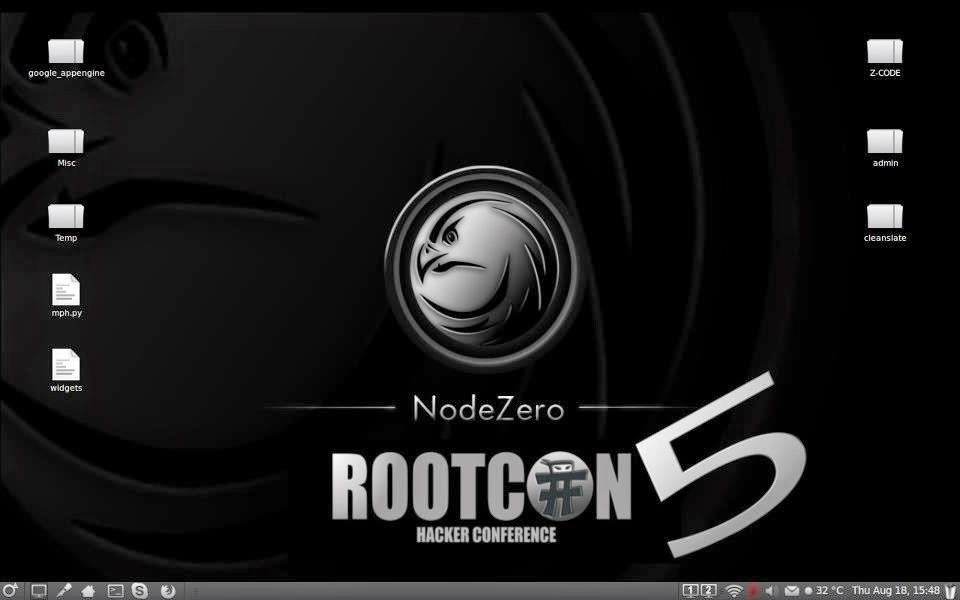
9. NodeZero


It is said the necessity is the mother of all invention, and NodeZero Linux is no different. There team is built of testers and developers, who have come to the census that live systems do not offer what they need in their security audits. Penetration Testing distributions tend to have historically utilized the “Live” system concept of linux, which really means that they try not to make any permanent effects to a system. Ergo all changes are gone after reboot, and run from media such as discs and USB’s drives. However all that this maybe very handy for occasional testing, its usefulness can be depleted when your testing regularly. Its there believe that “Live System’s” just don’t scale well in a robust testing environment.

All though NodeZero Linux can be used as a “Live System” for occasional testing, its real strength comes from the understanding that a tester requires a strong and efficient system. This is achieved in our belief by working at a distribution that is a permanent installation, that benefits from a strong selection of tools, integrated with a stable linux environment.

Click here to download


10. Pentoo


Pentoo is a Live CD and Live USB designed for penetration testing and security assessment. Based on Gentoo Linux, Pentoo is provided both as 32 and 64 bit installable live cd. Pentoo is also available as an overlay for an existing Gentoo installation. It features packet injection patched wifi drivers, GPGPU cracking software, and lots of tools for penetration testing and security assessment. The Pentoo kernel includes grsecurity and PAX hardening and extra patches - with binaries compiled from a hardened toolchain with the latest nightly versions of some tools available.

Click here to download


11. GnackTrack


GnackTrack is an open and free project to merge penetration testing tools and the linux Gnome desktop. GnackTrack is a Live (and installable) Linux distribution designed for Penetration Testing and is based on Ubuntu.

Backtrack is not only a single player in the field of ethical hacking, so you can try some other distribution as well, if you are Gnome lover than must try this, however backtrack 5 is also available on Gnome platform. Just like backtrack, Gnacktrack comes with multiple tools that are really helpful to do a effective penetration testing, it has Metasploit, armitage, wa3f and others wonderful tools.


Click here to download


12. Blackbuntu


Blackbuntu is distribution for penetration testing which was specially designed for security training students and practitioners of information security. Blackbuntu is penetration testing distribution with GNOME Desktop Environment. It's currently being built using the Ubuntu 10.10 and work on reference Back|Track.

Click here to download


13. Knoppix STD


Knoppix STD (Security Tools Distribution) is a Live CD Linux distribution based on Knoppix that focused on computer security tools. It included GPL licensed tools in the following categories: authentication, password cracking, encryption, forensics, firewalls, honeypots, intrusion detection system, network utilities, penetration, packet sniffers, assemblers, vulnerability assessment and wireless networking. Knoppix STD version 0.1 was published January 24, 2004, on Knoppix 3.2. Thereafter, the project stagnated, lacking updated drivers and packages. A release date for version 0.2 has not yet been announced. A list of tools is available on the official website.


Click here to download


14. Weakerth4n


Weakerth4n is a penetration testing distribution which is built from Debian Squeeze.For the desktop environment it uses Fluxbox.This operating system is ideal for WiFi hacking as it contains plenty of Wireless tools. It has a very well maintained website and a devoted community. Built from Debian Squeeze (Fluxbox within a desktop environment) this operating system is particularly suited for WiFi hacking as it contains plenty of Wireless cracking and hacking tools.

Tools includes: Wifi attacks, SQL Hacking, Cisco Exploitation, Password Cracking, Web Hacking, Bluetooth, VoIP Hacking, Social Engineering, Information Gathering, Fuzzing Android Hacking, Networking and creating Shells.


15. Cyborg Hawk


The most advanced, powerful and yet beautiful penetration testing distribution ever created. Lined up with ultimate collection of tools for pro Ethical Hackers and Cyber Security Experts. It has 700 + tools while Kali have 300+ and also dedicated tools for and menu for mobile security and malware analysis . Also it is easy to compare it with Kali as to make a better OS than Kali we have to outperform it. It is a new operating system based on Ubuntu linux, i am not tested this OS that is why i placed it in the last of this list.

Cyborg Hawk is developed by Team Cybord led by Vaibhav Singh and Shahnawaz Alam from Ztrela Knowledge Solutions Pvt. Ltd.


Recommended article: Top Ten Popular Hacking Tools